|
|
eMoviePoster.com - The most trusted vintage original movie poster site & the only major online auction with no buyers premiums!
Step-by-step instructions to pay us using PayPal
|
(these instructions are for customers who already have a PayPal
account; if you don't have a PayPal account, you can either pay us directly
using your major credit card [call us at 417-256-9616 during our regular
business hours of 9 to 12 or 1 to 5 PM CST] OR you can go to PayPal's Signup page to join).
|
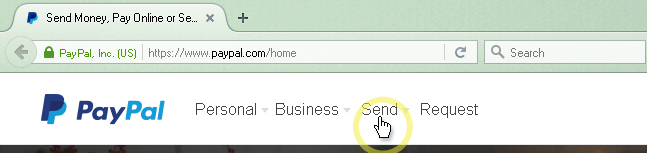
2.) After the PayPal homepage has loaded, click the "Send" link.
3.) In the field that states "Their email or phone number", type our email address as displayed in the image below and enter the total cost (the amount of the items you are
paying for WITH the shipping costs; you can find that amount in the e-mail you were sent from us about your purchase)
in the "Amount" box. Then click the "Continue" button.
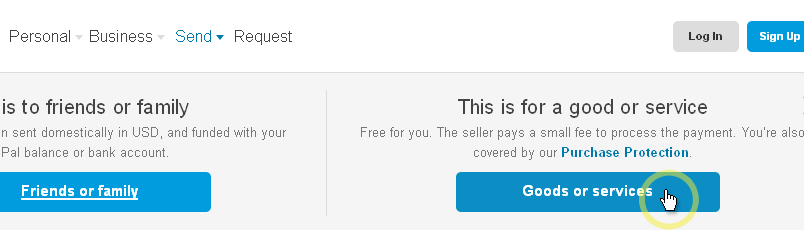
4.) Click the "Goods or services" button.
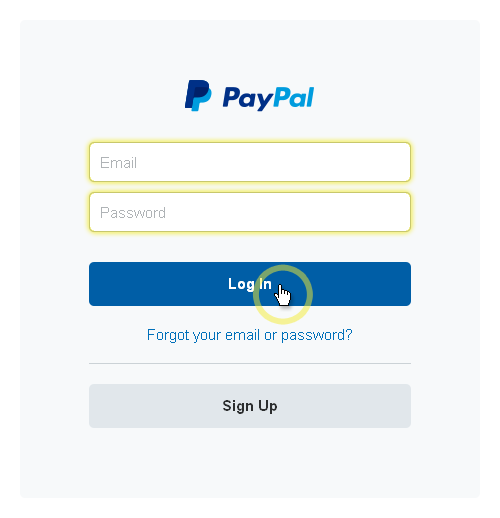
5.) If you are not already logged into your PayPal account, you will now need to enter your email address and password for your PayPal account.
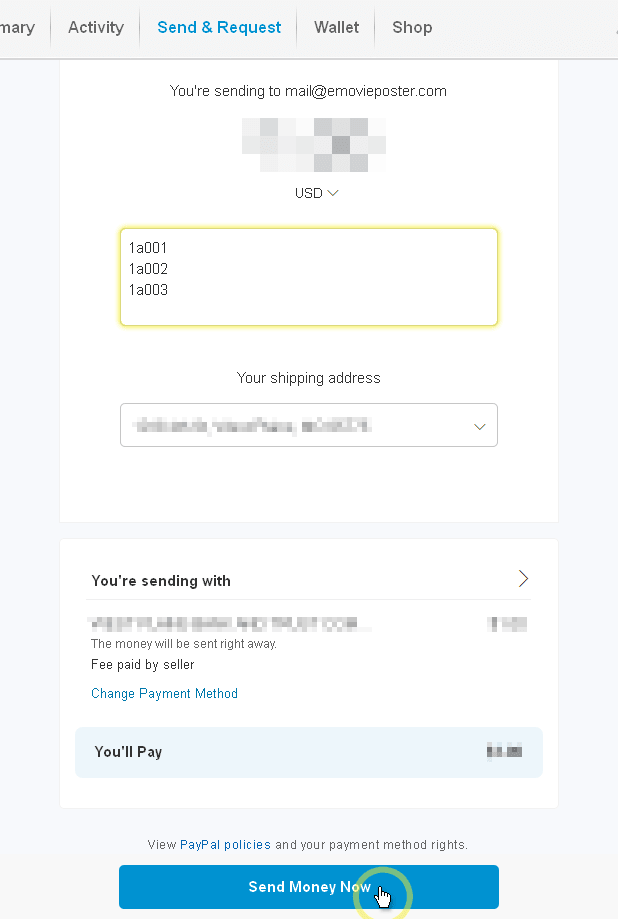
6.) Review the amount you are paying, your shipping address, and your source of funding you will be paying with to confirm it is all correct.
Additionally in the message box please provide a list of the items you are paying for by their lot numbers (for instance "1b253").
If all of the information on this page is correct, click the "Send Money Now" button.
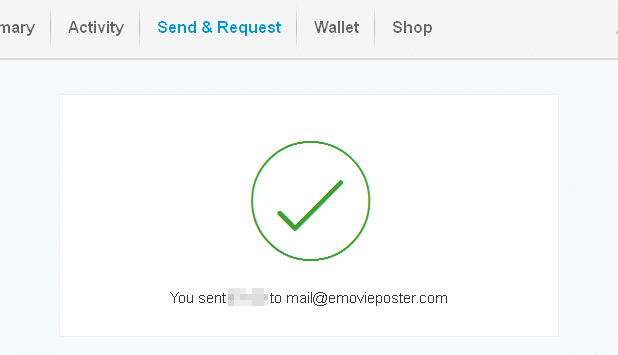
7.) A few moments after clicking "Send Money Now", you will be taken to a page
similar to the below. You have successfully made your payment through
PayPal! (NOTE: You may want to click "Log Out" in the upper right corner
of your browser page, especially if you are using a public computer such as in a
library or coffee shop. Additionally, if you are using a public computer,
you should always go to "Tools -> Internet Options" then click "Delete
Cookies..." (and then click "OK" in the box that appears), then click "Delete
Files..." (on the box that appears, check the box and click "OK"), and the click
"Clear History" (select "Yes" in the box that appears).
|

|
Complete Buyer Protection - No time limit on our guarantees & NO buyer beware
Hershenson
Help Hotline - Direct line to Bruce (our owner!) for urgent problems
Also, please read the following two pages of Consignor Reviews
-
Page 1,
Page 2,
and two pages of Customer Reviews of our company
-
Page 1,
Page 2,
which shows you in our customers' own words exactly what makes our company and our auctions so very different from all others! |
 |

Postal Mailing Address: Bruce Hershenson, P.O. Box 874, West Plains, MO 65775.
(For our UPS or FedEx address, click here)
Our address for UPS or FedEx only is:
Bruce Hershenson,
306 Washington Avenue, West Plains, MO 65775
phone: +1 417 256-9616 fax: +1 417 257-6948
E-mail: Contact Us
Hours of Operation:
Monday - Friday 8:30 AM - 12:00 PM & 1:00 PM - 5:00 PM (CDT)
|
|